NASR-M board bring-up, USB adventures II
USB finally works. Now I’m able to connect an external USB hub to the socket and plug in thumb drives and USB hard disks. All works fine, except the USB-to-SATA converter, which is not soldered in yet. I saved that for the dessert, because I have other priorities.
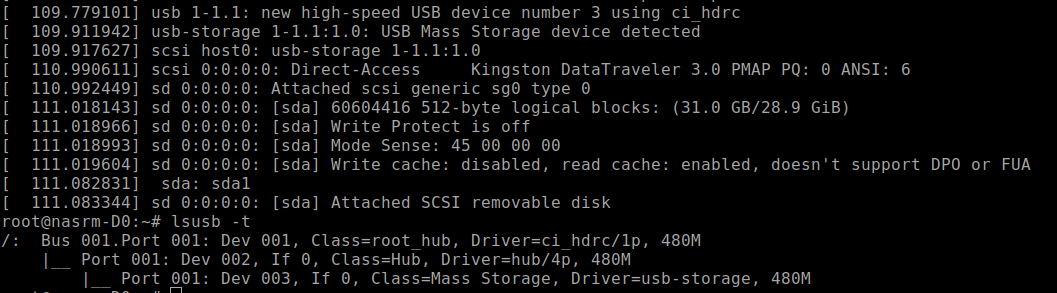
This is the ‘lsusb -t’ picture of a thumb drive plugged into the USB socket.
NASR-M board bring-up, USB adventures
It’s USB show time! Xilinx documents suggest the USB3320 as a good USB PHY that works, and I’ve seen multiple development boards that use that chip. If it works for them, it will probably work for me, I thought. Despite being defined in Vivado hardware design, USB was not detected by the Linux kernel. Looking closely, I saw that a reference clock was ok, but there was no signal on the CLKOUT pin.
Petalinux Zynq configuration order
This is a short reminder to myself on how to configure the Petalinux for Zynq 7000.
First, source the settings.sh from the Petalinux root folder.
source ./settings.sh
Create the project from Vivado hardware definintion export. It's a good idea to provide a complete path to the xsa file.
    petalinux-create project --template zynq --name nasrm-usb
    cd nasrm-usb
    petalinux-config --get-hw-description /data2/hw/nasrm/usb_wrapper.xsa
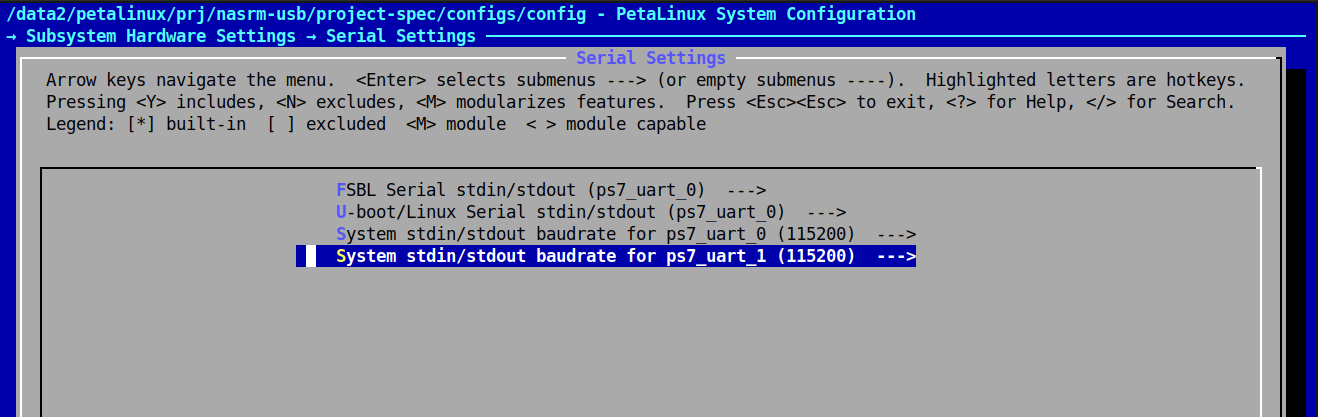
This will present a configuration screen. Don't forget to set the serial devices for boot messages and terminal access.
Then, configure the kernel with all of the necessary modules. Basically it's a good old linux menuconfig.
petalinux-config -c kernel
If the tinfo5 library is not found in ubuntu 24, you may symlink it somewhere or download from ubuntu 22:
    sudo apt update
    wget http://security.ubuntu.com/ubuntu/pool/universe/n/ncurses/libtinfo5_6.3-2ubuntu0.1_amd64.deb
    sudo apt install ./libtinfo5_6.3-2ubuntu0.1_amd64.deb